
Music player for Mac
Your music.
Your pace.
Your MP3 and WAV files in a native Mac player. You build the queue. You shape the sound.
Coming to the App Store
See how it worksNot available for download yet · macOS 15 or later
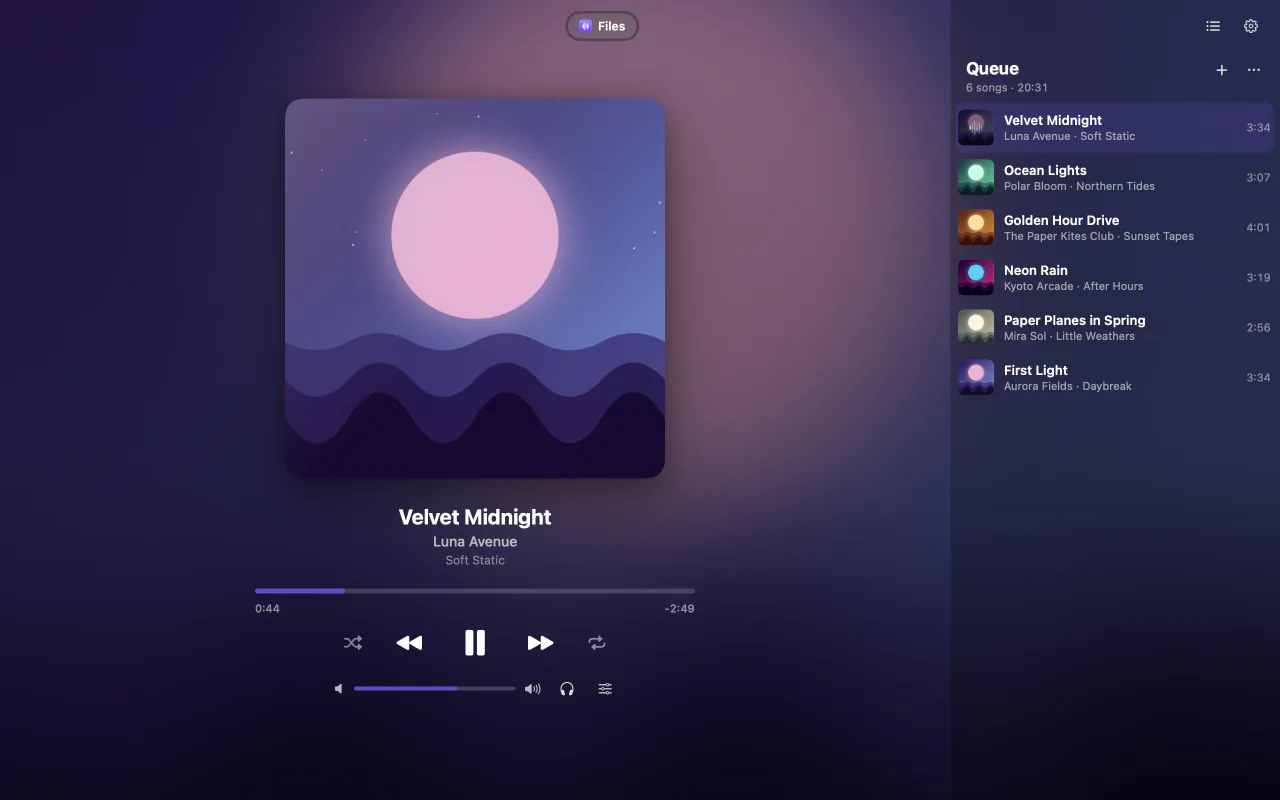
Queue
You set the order.
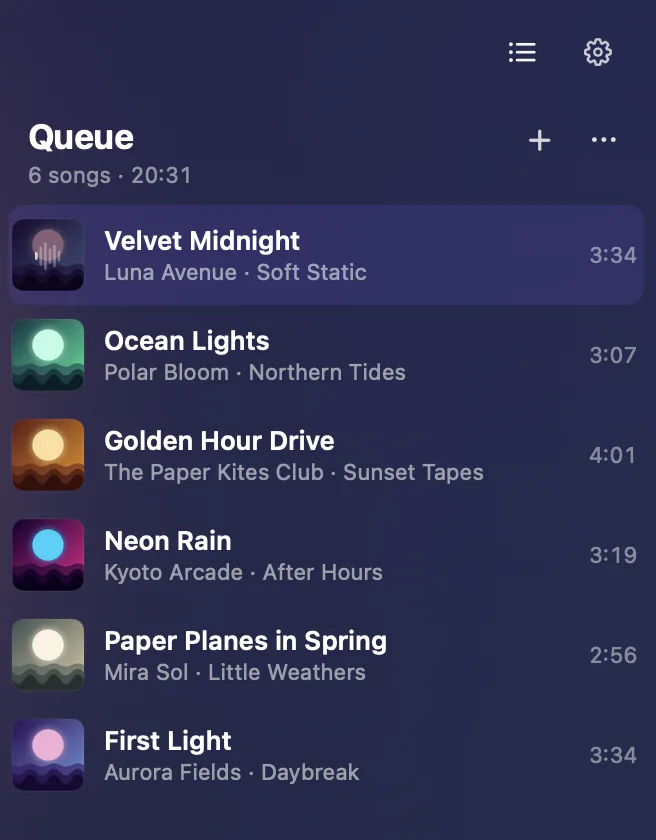
- Drag and reorderDrop songs into the player and rearrange the tracks.
- Your wayIn your chosen order, shuffled or on repeat.
- Straight from FinderOpen replaces the queue. The Add to Queue service appends to the end.
- Right where you left offQueue and position are saved. Resume whenever you like.
Sound
Fine-tuned, not fussy.
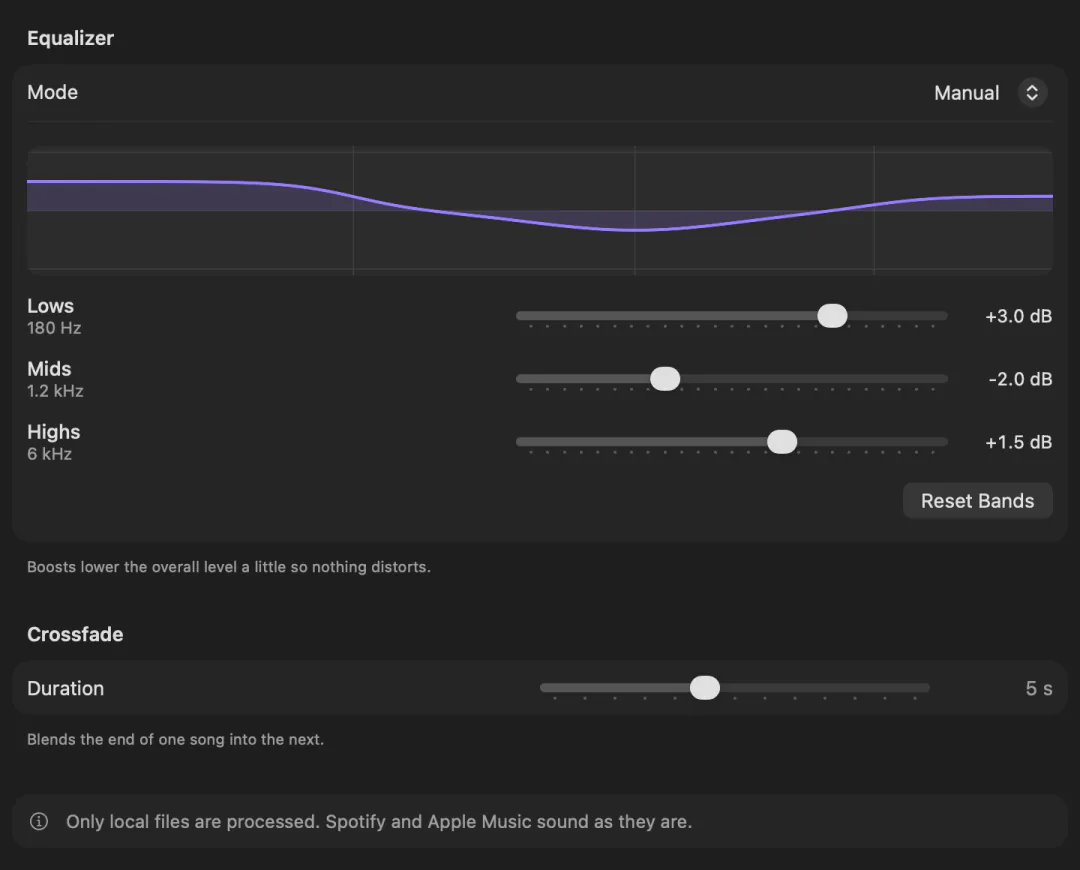
- Manual EQLows, mids and highs, plus ready-made presets.
- Automatic modeAnalyzes your files’ audio right on your Mac.
- Smooth crossfadeBlends the end of one track into the next, from 0 to 12 seconds.
EQ and crossfade apply to local files.
Always within reach.
Main window
Artwork, queue and controls.
Mini player
Sits on your desktop, beside your work.
Menu bar
Controls one click away.
Top of the screen
A compact player, if you want it.
It can also control Spotify and the Music app, once you allow macOS Automation.
Pricing
One plan. No fine print.
US$ 0.99/month
in the US
R$ 4,99/month in Brazil. Elsewhere, the App Store shows your local price before you buy.
Coming to the App Store
- Free download. Using the app requires a monthly subscription.
- Renews automatically every month until you cancel.
- Billing, cancellation and restore through your Apple Account.
- No free trial, annual or lifetime plan.
- No music or streaming included: you bring your own files.
Quick answers
Are my songs uploaded anywhere?
No. The audio stays on your Mac. Local artwork comes from the file; artwork supplied by Spotify may be downloaded.
Which files work?
Compatible MP3 and WAV files, on macOS 15 or later.
Does it include music or streaming?
No. Dream Player plays your own files; there is no catalog or streaming subscription.
Does it work with Spotify and Music?
You can control playback in those apps after allowing macOS Automation. EQ and crossfade apply to local files only.
Is there a free trial?
No. The download is free, and using the app requires the monthly subscription.
How do I cancel or restore?
Through Apple: manage or cancel in your App Store account settings, and use Restore purchases in the app. Deleting the app does not cancel the subscription.
When is it available?
Dream Player is not on the App Store yet. Once it is, the buttons on this page will take you straight there.
Made for your music.
Coming to the App Store
Not available for download yet · macOS 15 or later